User Interface
The user interface consists of 5 interactive components which look the same but behave differently depending on the roles of the user.
Current Story
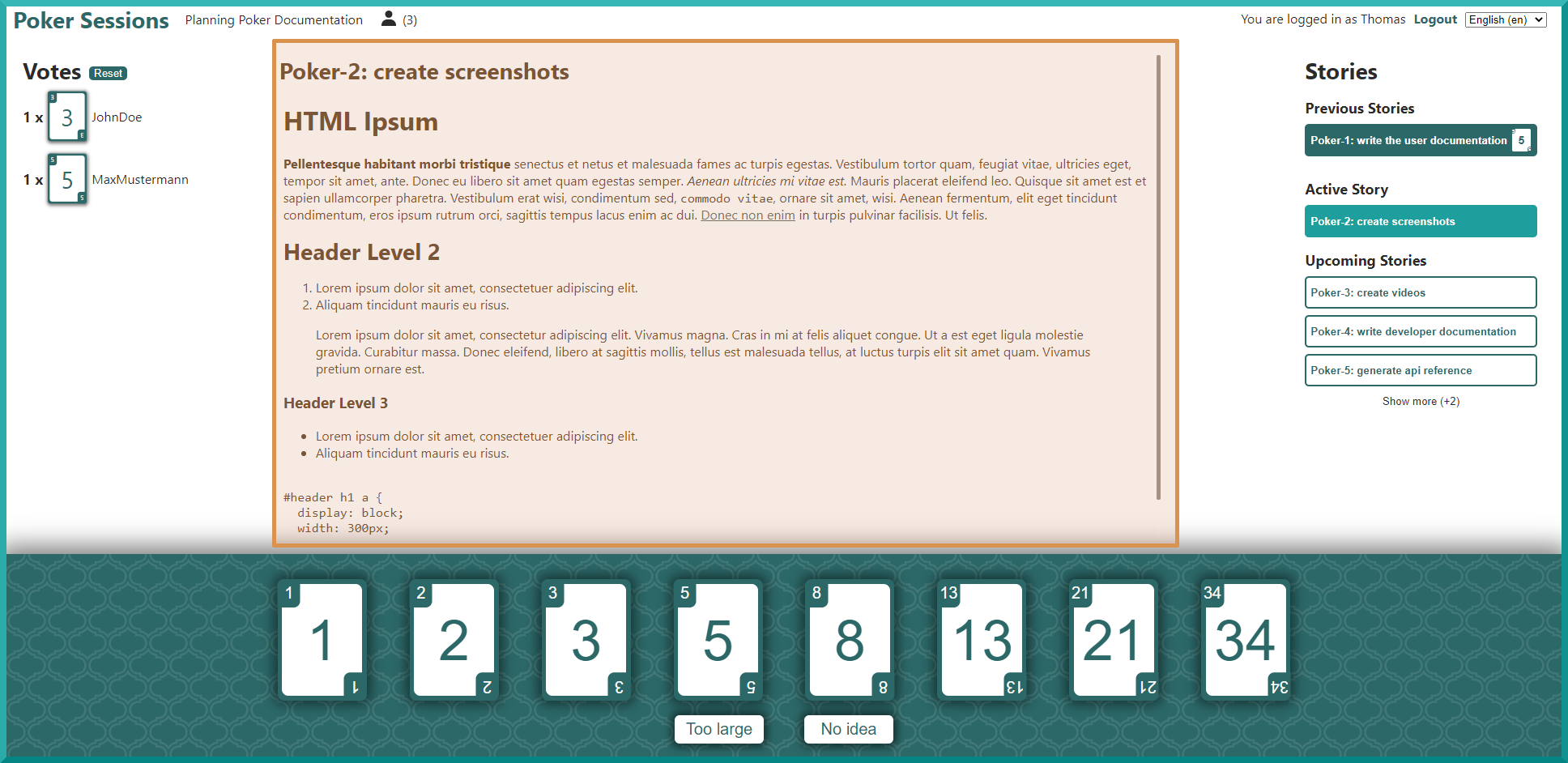
This is the main component of the poker session view. This component shows the title and the description of the currently active story. The participants will use the information they see here as a baseline for their discussion and estimation of the story’s points.
Note
The description supports HTML syntax so be aware when you are importing story descriptions from places where you have no control over which could potentially contain malicious input.
Stories Overview
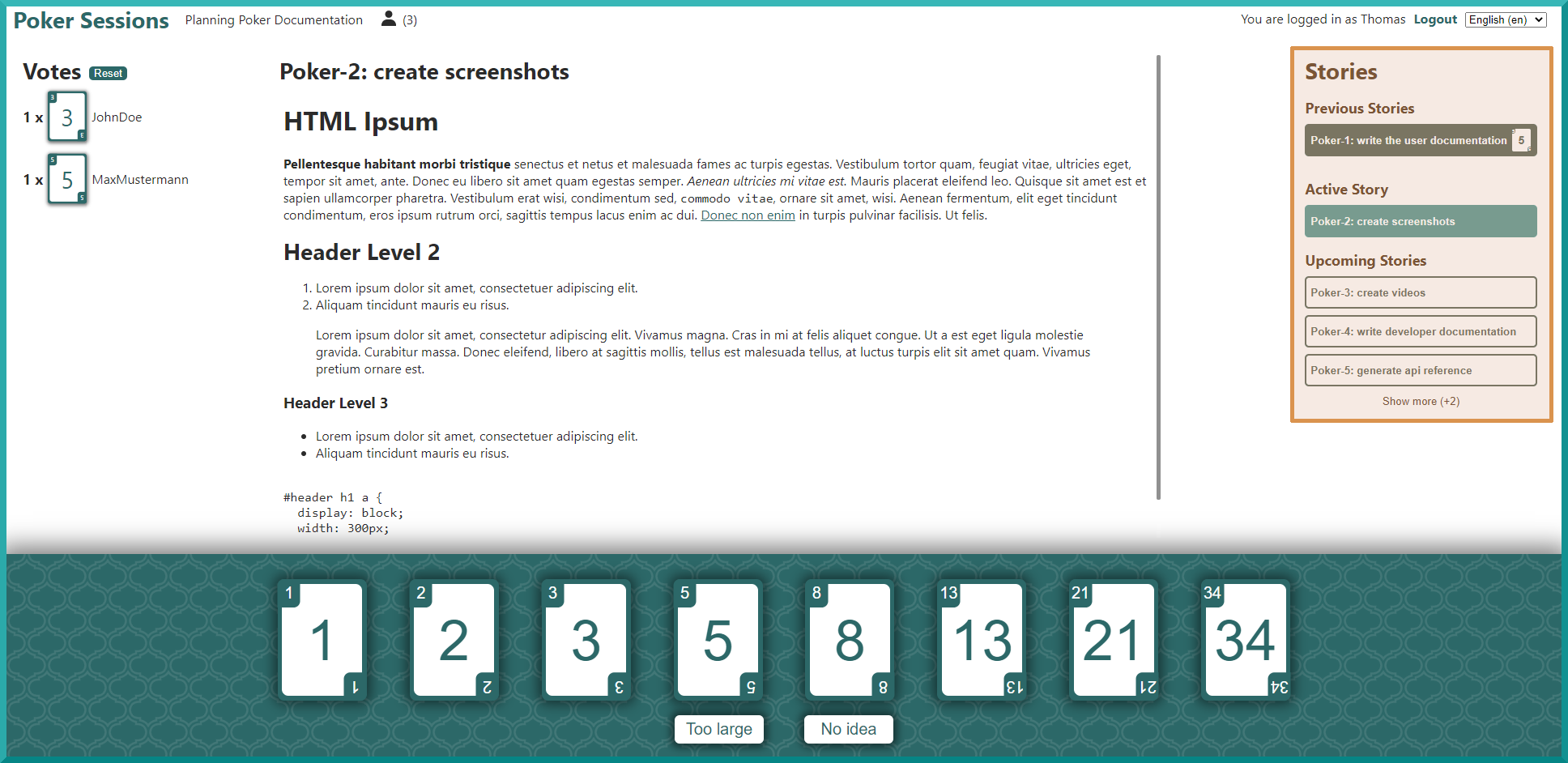
This is a list of all the stories in the poker session. Any stories which already have their points estimated are marked as such and show their points next to the story title.
This list is split up into three parts:
Previous Stories: This shows all the previously pokered/skipped stories
Active Story: This is the currently active story. It is displayed in the Current Story component and is the story which should be discussed/estimated by the participants.
Upcoming Stories: This shows all the stories which are left in the poker session.
Both the Previous Stories and Upcoming Stories sublists can be expanded/collapsed to show/hide all of their stories inside.
Voting Options
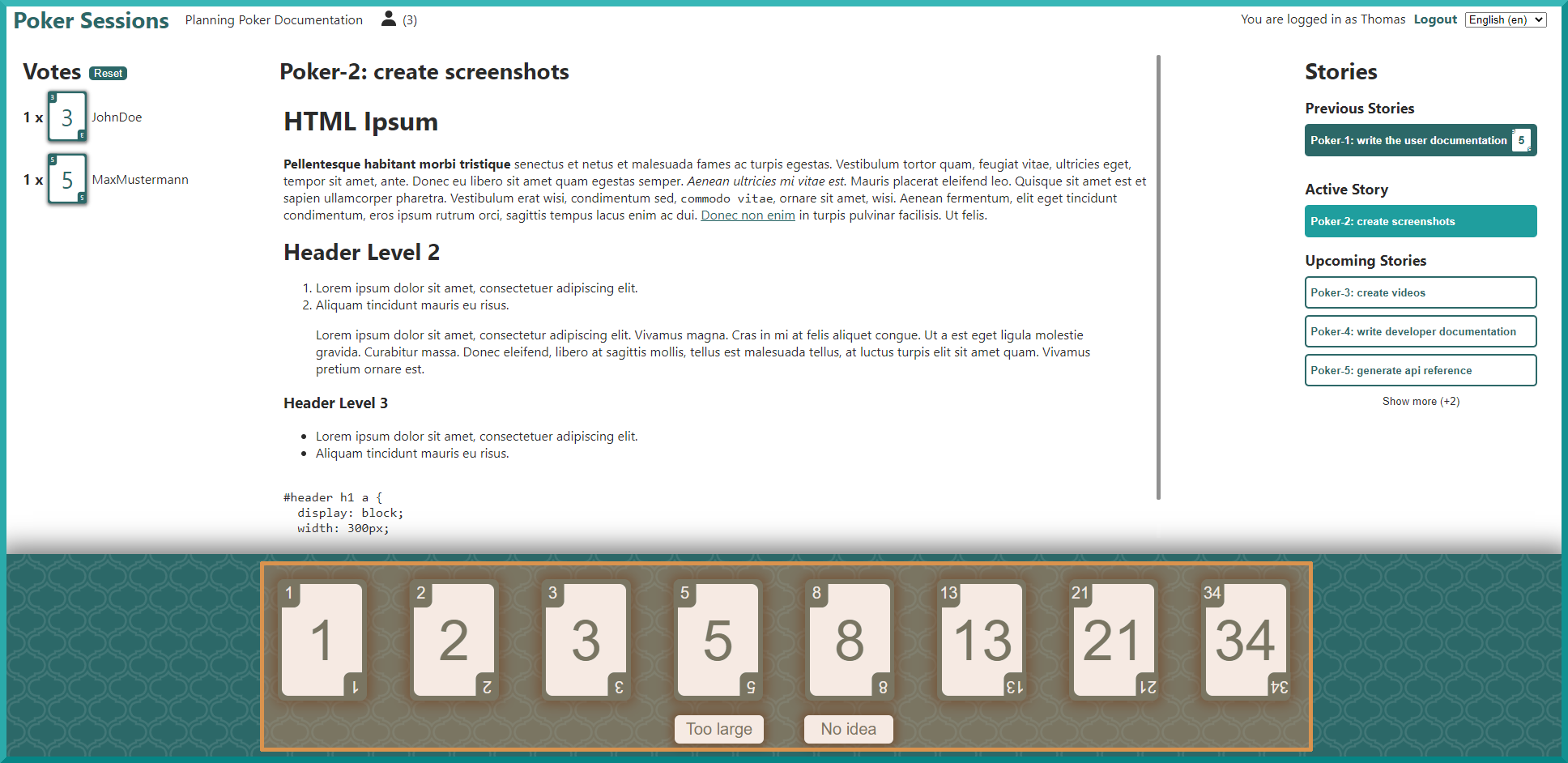
These are the options a participant has in order to vote/set the story points for the current story. Clicking on one of them as a voter will send the vote to the server and from there to the other participants. These votes will then be shown in the Votes Overview component.
Moderators will not see the two buttons Too large and No idea since they are not valid options for the final
story points, unless they are also a voter (see Voter + Moderator). Clicking on the cards as a
moderator will set the story’s points to the selected value and set the next unpokered story from the Upcoming Stories
list as the new currently active story for all participants.
Being a voter and moderator at the same time means that this component serves two functionalities. The first time it is clicked will count as a vote. The second time however will only show the numbered cards and a click sets the final story points.
Spectators do not see this component.
Votes Overview
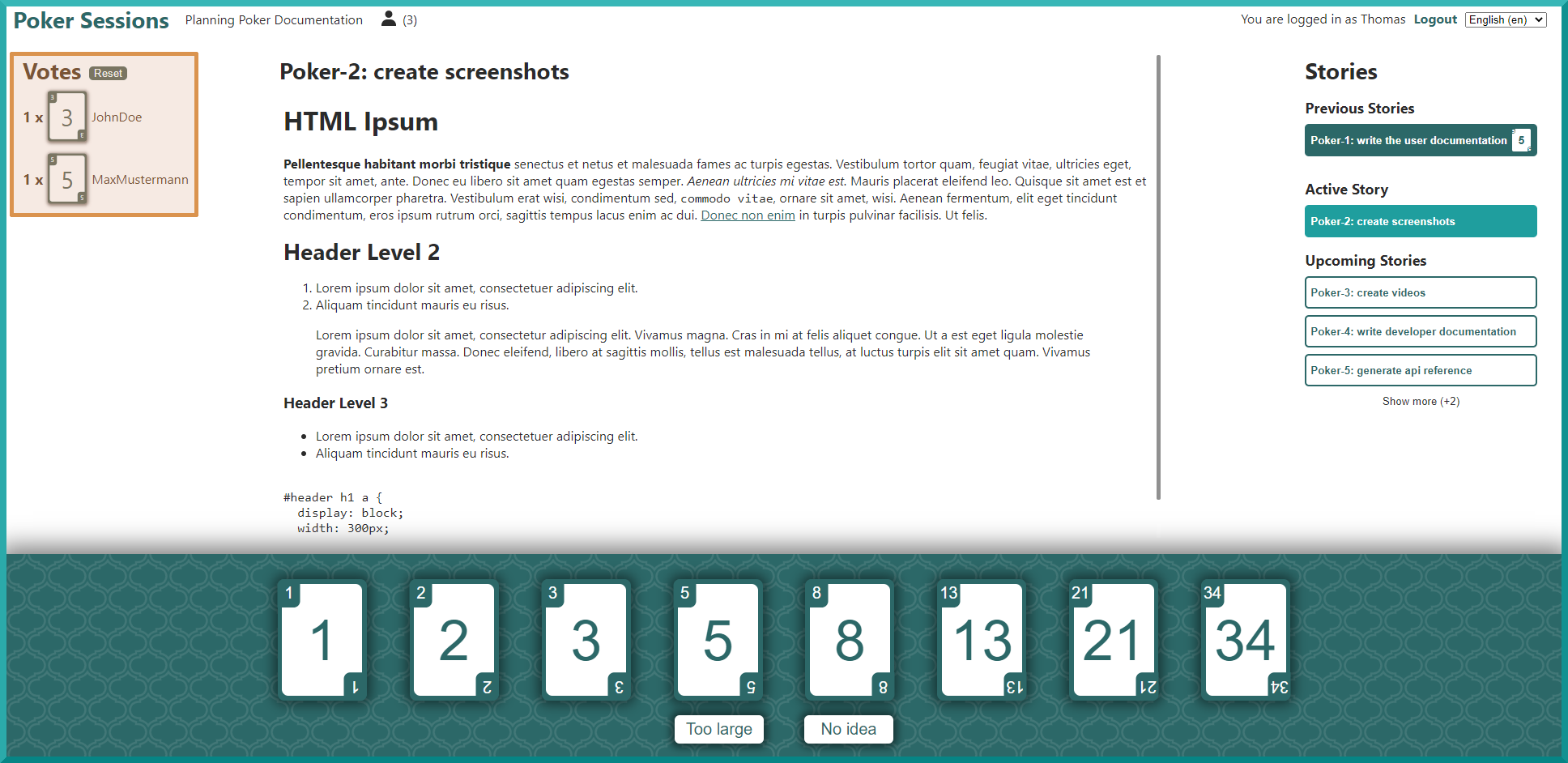
This overview shows which voter voted for what option. These cards are either revealed or face down. Any voters (this includes Voter + Moderator) will only see the votes after they have voted. Any non-voters will always see the cards face up. The options are sorted by the amount of votes they have when they are face up. When the cards are face down, the different options are sorted in a random order to prevent people from gaming the system.
A moderator can also click on these options in order to set the story points for the currently active story. This is probably the most comfortable way for them to set the story points since most of the time the moderator is choosing the option with the most votes anyways. The button at the top of this component also provides them with the option to reset the votes of all participants.
Participants List
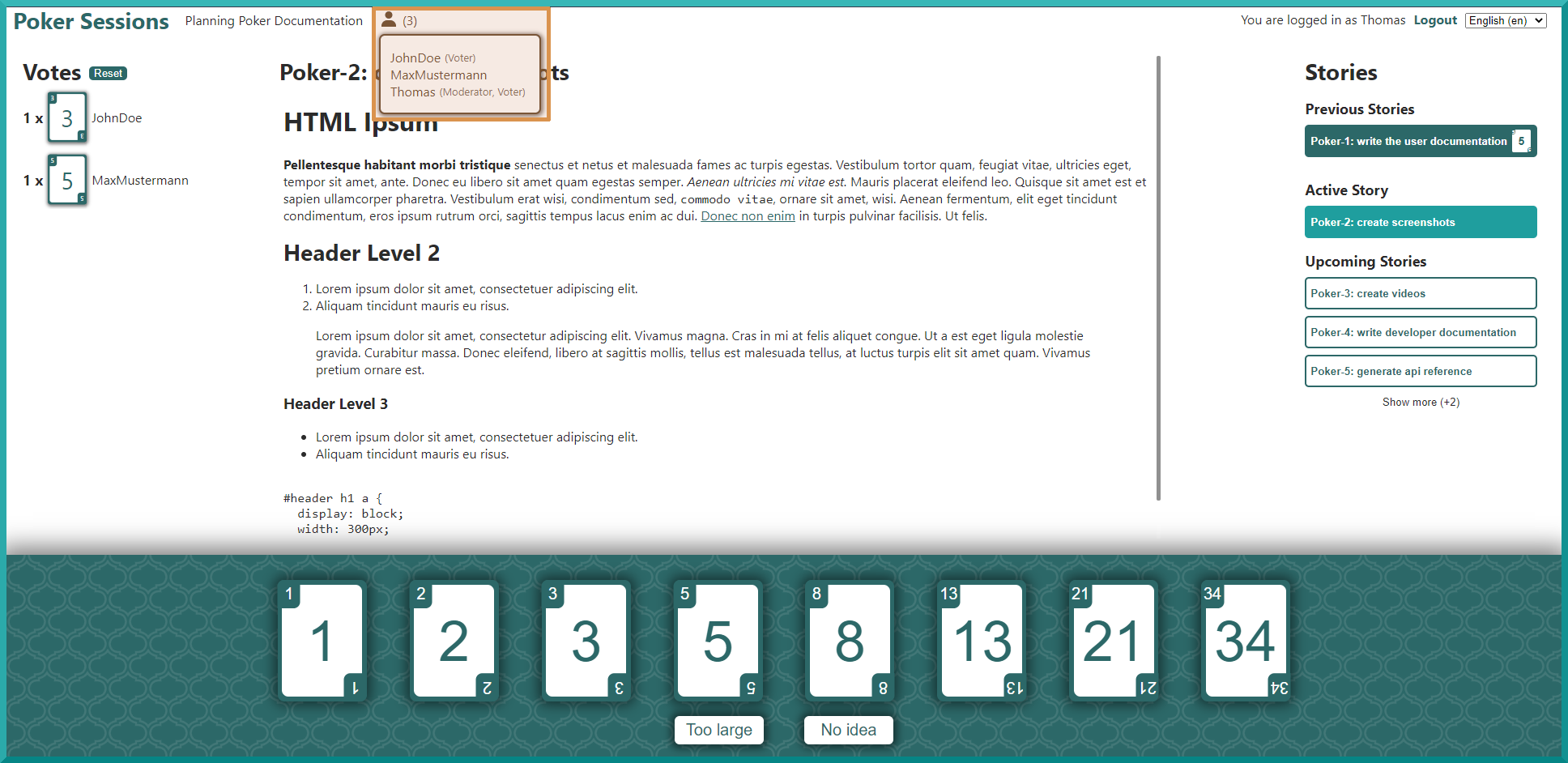
This small component always shows the amount of participants in the poker session. When moused over, you’ll see a list of all the participants and their roles.